
Idle windows stay idle
Clean windows sleep until something changes. Signals update the affected properties, and event updates are batched into one redraw.
Pre-alphaAPIs may change
Build native interfaces in Go, TypeScript, or Rust with fast incremental builds, fine-grained reactivity, and accessible components powered by the same GPU renderer.
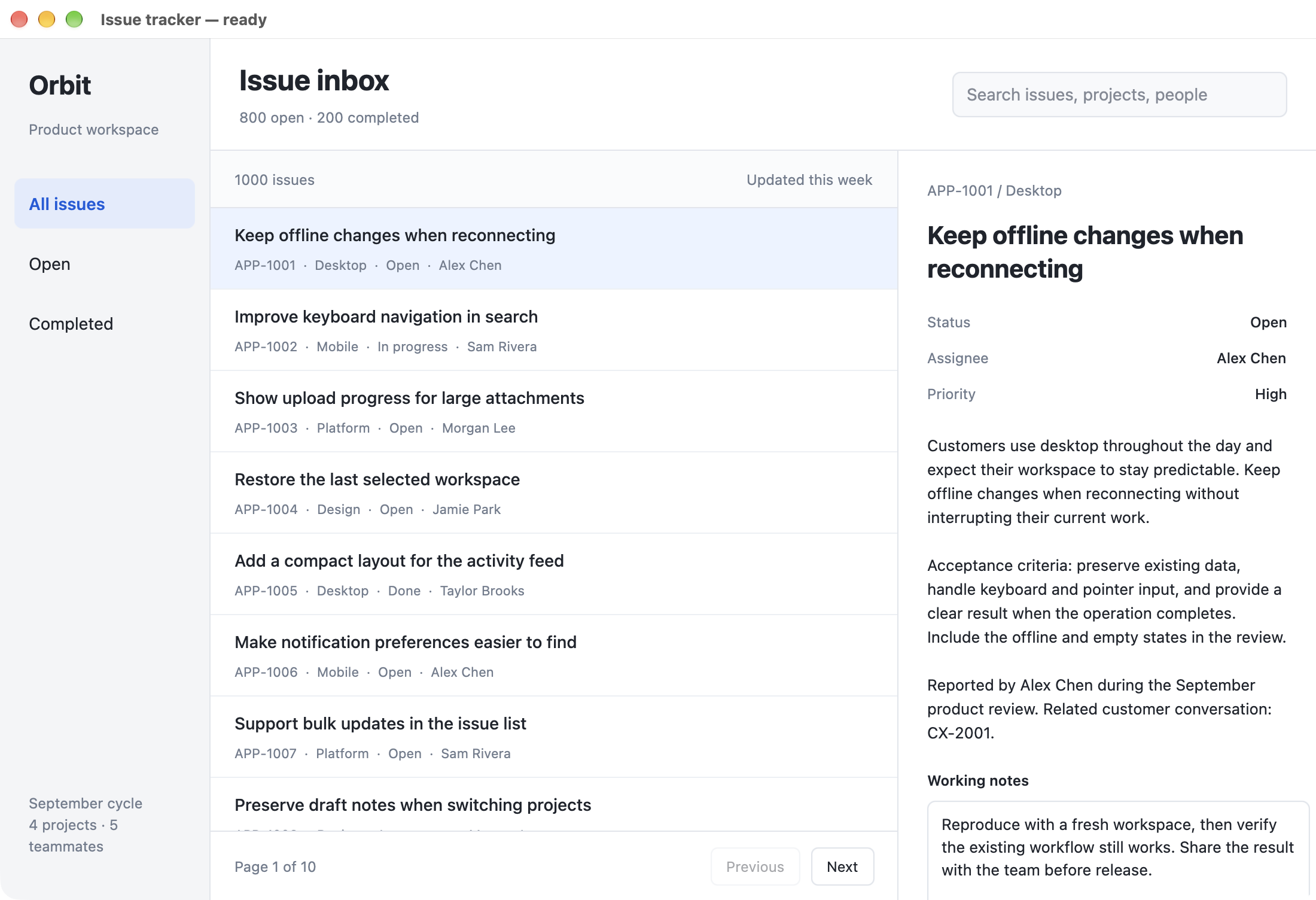
Idle memory and installed bundle size for QuickGUI Go, QuickGUI TypeScript, QuickGUI Rust, GPUI, Tauri, and Electron, measured on the same Mac. Each app runs the same issue tracker with 1,000 issues.
One 1,100 × 720 window with the same 1,000 issues, 100 retained rows per page, and the first issue selected. 3 fresh launches per framework. Wait at least 30 seconds and require 15 seconds of stable memory and CPU at or below 1%, then take 10 further idle samples. Bars show the median of the launch medians; whiskers show their range.
Memory is the sum of physical footprints for the app and its rendering helpers, including WebKit or Chromium renderer, GPU, and network processes. AutoFill and other macOS services are excluded. CPU and memory must stay stable throughout sampling; screenshots are taken afterward. Values include compressed memory and use decimal MB (1,000,000 bytes), as in Activity Monitor. No forced garbage collection or cache purge.
Bundle size counts the files shipped inside the .app, including native libraries and frameworks. QuickGUI TypeScript includes Bun and Solid 2, QuickGUI Rust links the native core into its executable, GPUI ships Zed's GPU UI framework in its executable, and Electron includes Chromium and Node. OS-provided frameworks such as WebKit are excluded. This is installed size, not a compressed download.
The demo supports search, status filters, pagination, editable notes, and completion actions. Data stays in memory for the session, with no database or network service. These charts measure the loaded app at idle, not interaction throughput. Results vary with your app, machine, and operating system. QuickGUI results use development checkouts; each result records its exact revision.
Clean windows sleep until something changes. Signals update the affected properties, and event updates are batched into one redraw.
Recompile your Go, TypeScript, or Rust app while reusing the native runtime. Keep the feedback loop short as you refine your interface.
Flexbox and CSS Grid with familiar style options. Compose layouts in Go, TypeScript, or Rust and reuse styles across components.
A large collection of accessible, unstyled components — menus, dialogs, popovers, selects, comboboxes, tabs, tables, trees — ready to make yours.
Support for selection, editing, undo, input methods, emoji, and right-to-left scripts.
Screen readers see real buttons, lists, and text — no extra code required.
Virtualized tables mount the visible rows as you scroll, keeping large histories and data views manageable.
Real windows, system menus, file dialogs, tray icons, and notifications are part of your application.
quickgui dev runs your app and reloads as you edit; quickgui build hands you a signed, installable release.
One reactive counter, three familiar languages. Pick a language to explore the code.
func Counter() *ui.Element {
  count, setCount := ui.CreateSignal(0)
  return ui.View().
    FlexCol().
    SizeFull().
    ItemsCenter().
    JustifyCenter().
    Gap(20).
    Bg("#090d16").
    TextColor("#e2e8f0").
    Child(ui.Text("Count: ", count())).
    Child(ui.Button().
      OnClick(func() { setCount(count() + 1) }).
      Padding(12).
      RoundedLg().
      Bg("#2563eb").
      Hover(func(s ui.StyleBuilder) ui.StyleBuilder { return s.BackgroundColor("#3b82f6") }).
      Child("Increment"))
}
Fluent native views and composable styles, with signals that keep your UI in sync.
Go docsEmbed real SwiftUI controls in your Go, TypeScript, or Rust application on macOS, alongside your QuickGUI components.
ui.SwiftUI.Host(
  ui.SwiftUIHostProps{MatchContents: true},
  func() *native.Node {
    return ui.SwiftUI.Button(ui.SwiftUIButtonProps{
      Label:       "Save changes",
      SystemImage: "checkmark",
      Modifiers: []ui.SwiftUIModifier{
        ui.SwiftUI.ButtonStyle("glass"),
      },
    })
  },
)
bunx @quickgui/cli init my-app
cd my-app
quickgui devquickgui fmt
quickgui buildquickgui build --target darwin-arm64 \
--sign "Developer ID Application: Example (TEAMID)" \
--notarize quickgui-notaryWrite a Go, TypeScript, or Rust component and ship a native app with its runtime included.